Access Control for your Team
You can now control member & dashboard permissions!
Dec. 28, 2024
Small Sign Up now has role-based access control for your team! Access control lets team admins create Roles, assign Dashboards to a Role, and then grant these dashboard permissions to members on your team. Only members with the correct permissions will be able to see the corresponding dashboards.
Access control allows teams to invite several different groups of members to their team, while keeping dashboards separate between different members if needed.
Here's how it works:
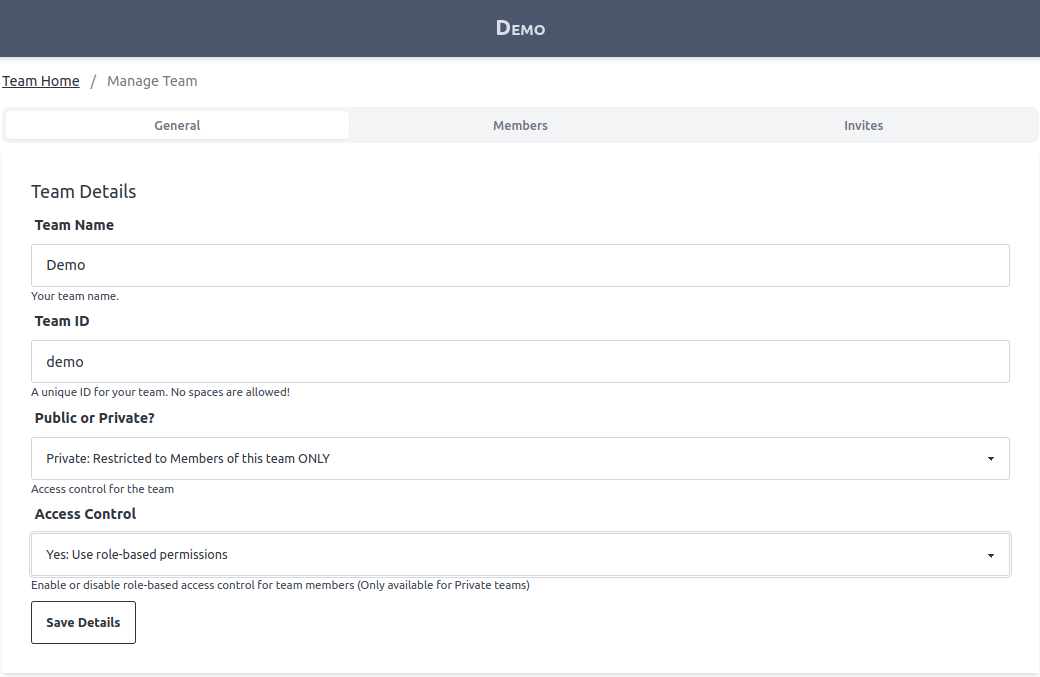
First, go to the "Manage Team" page for your team.
Create a new role in the "Access Control" section. Select which Dashboards and Members are assigned to this role.

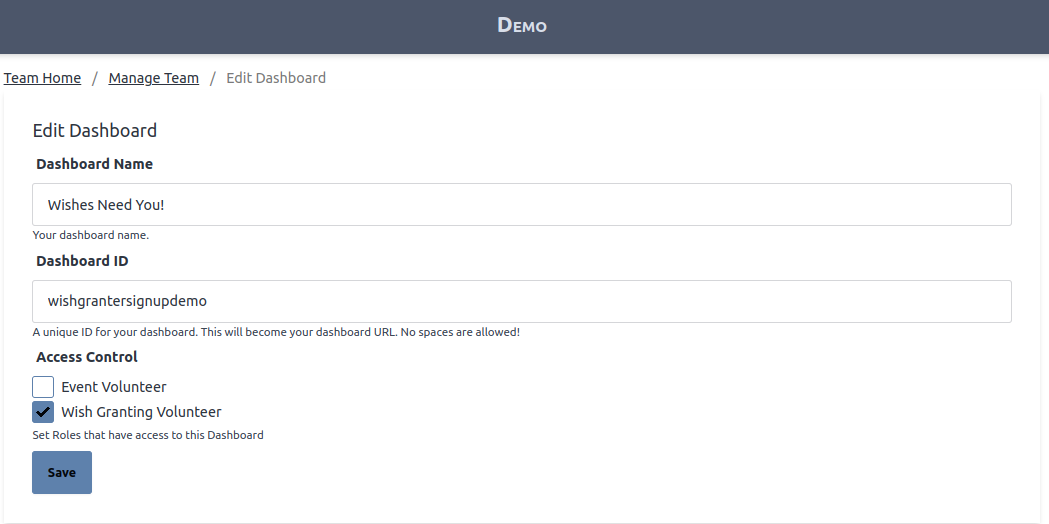
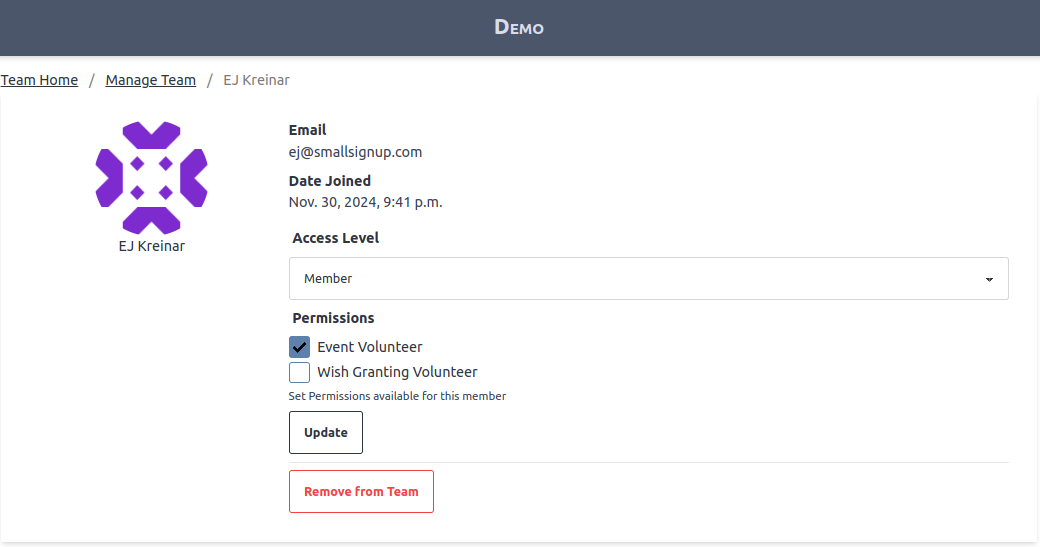
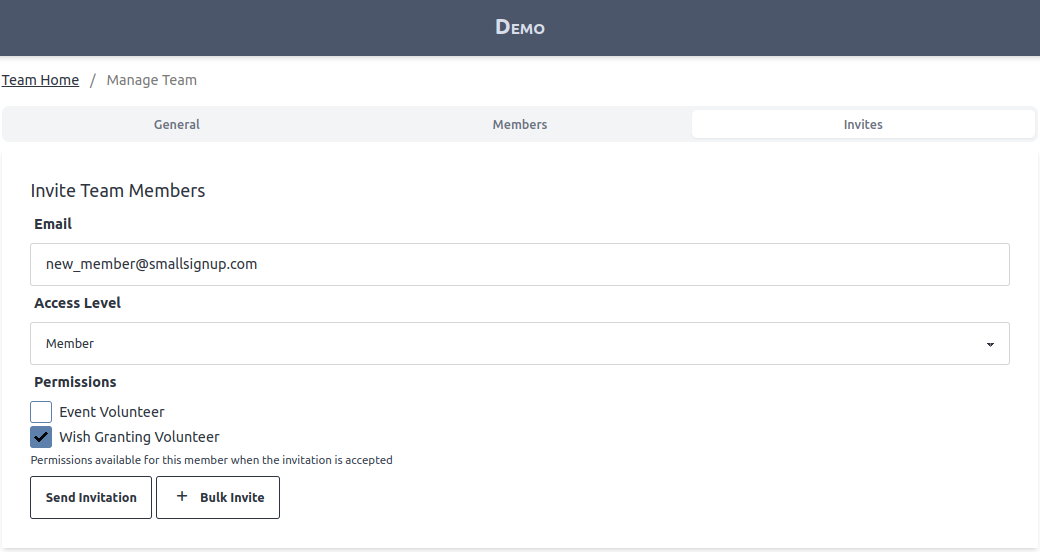
You are also able to update permissions when editing Dashboards, viewing members on your team, or creating new invitations.
After roles are set up as needed, you can turn on the "Access Control" setting on your Manage Team page.
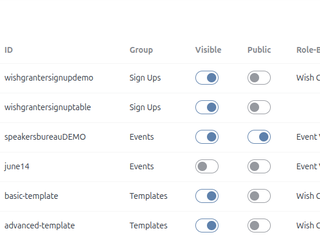
Finally, the dashboard list shows which roles grant access to each dashboard!
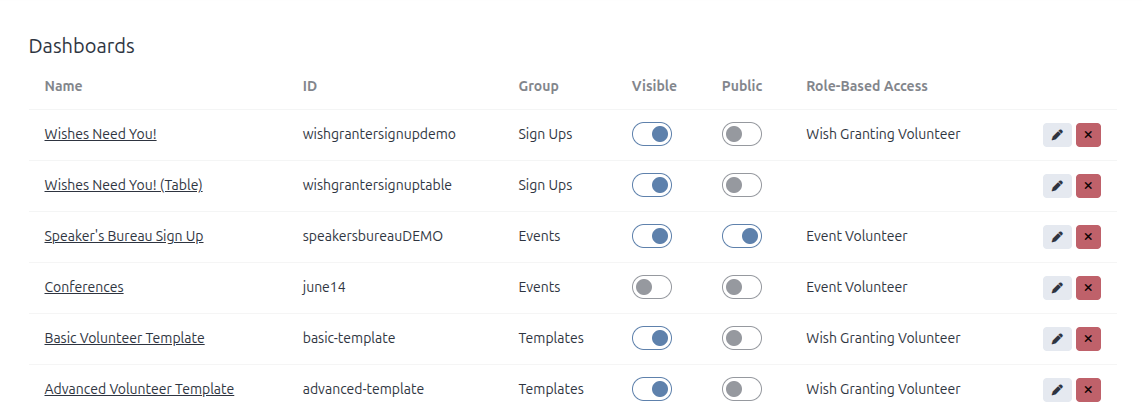
Image Gallery